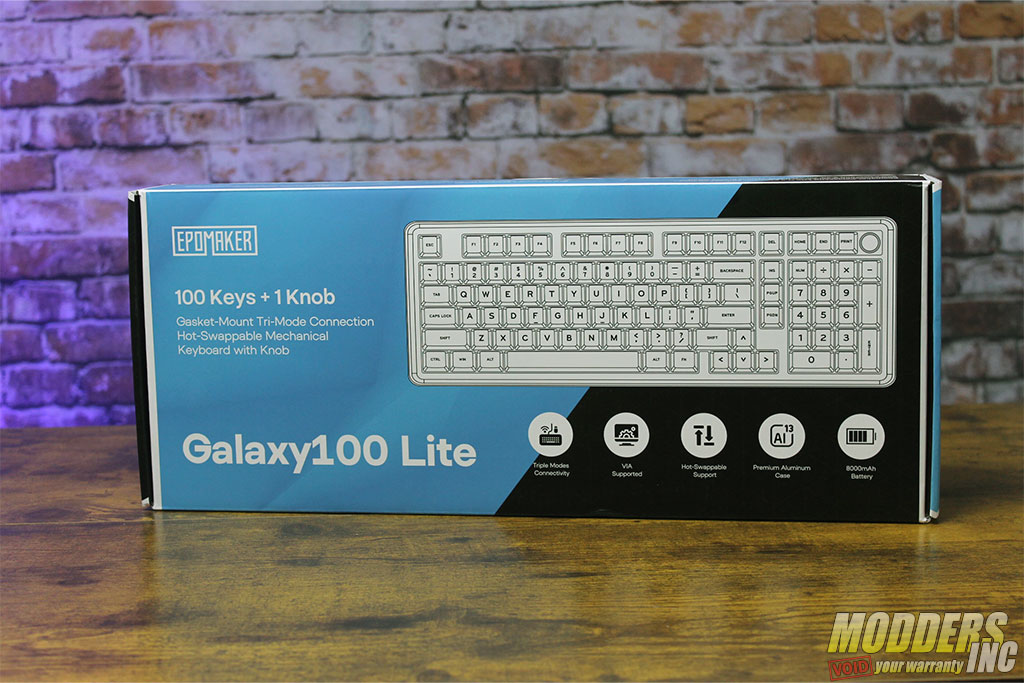
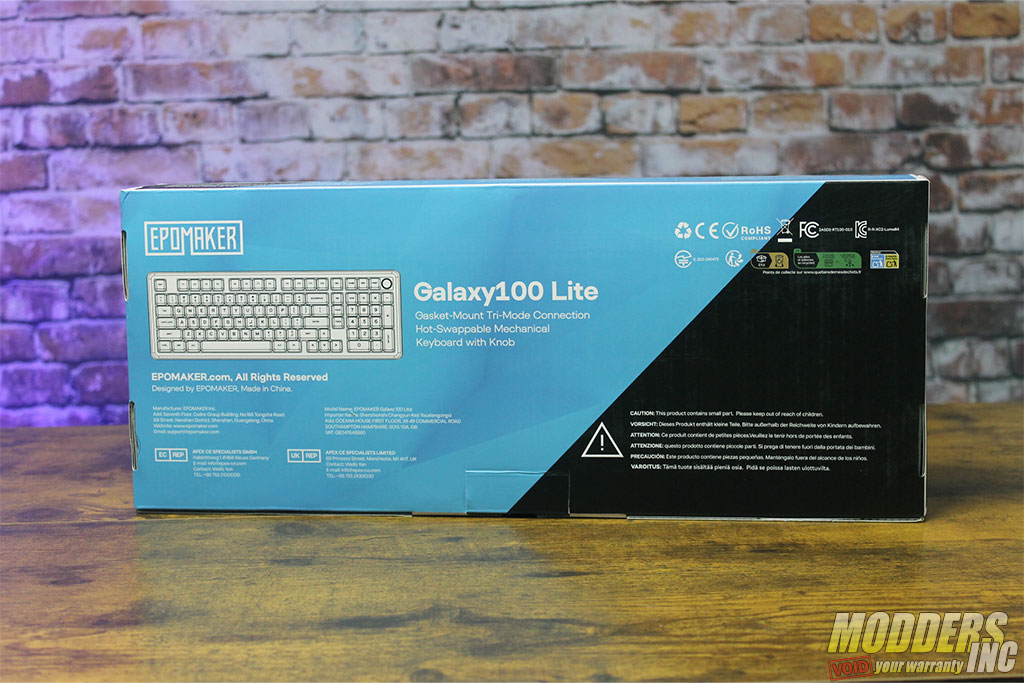
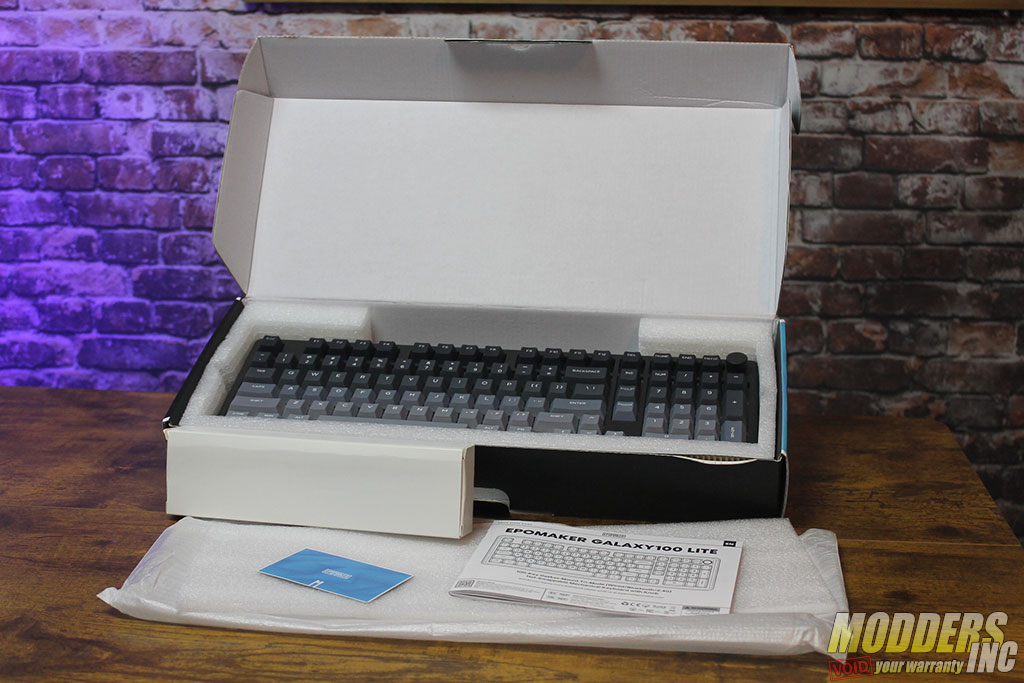
I do not know about you, but sometimes we judge the quality of a product by the box. If it looks like a 1st grader designed it, we automatically assume the quality might not be up to our standards. Epomaker did some quality work to display all the information we need to help make a critical decision.
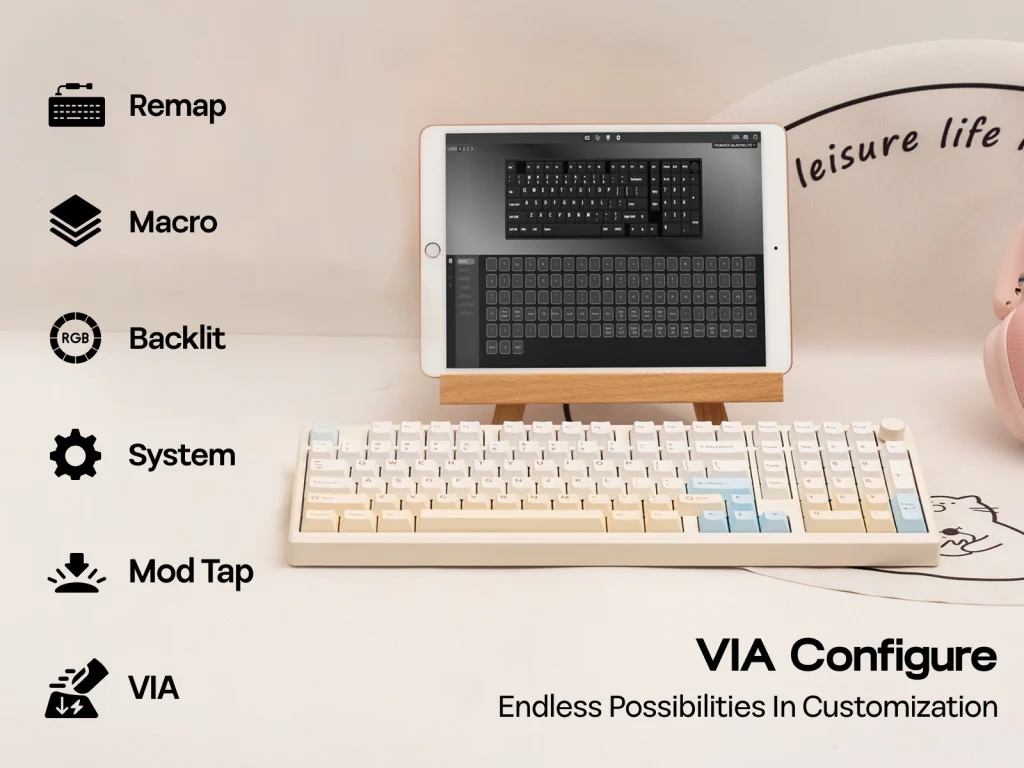
The contents of the box are well packaged and protect the product very well. As we know, sometimes boxes do not have the most luxurious travel. I have had a few packages show up, and I wondered how it managed to stay in the box. Included is a manual in multiple languages that explains how to connect the Galaxy100 Lite to your devices using the three modes of connectivity. Also, you get a card that has instructions as to where to get the software, VIA, which lets you reprogram the keyboard if you desire. Lastly, a box with all the accessories needed to maintain and connect the keyboard.
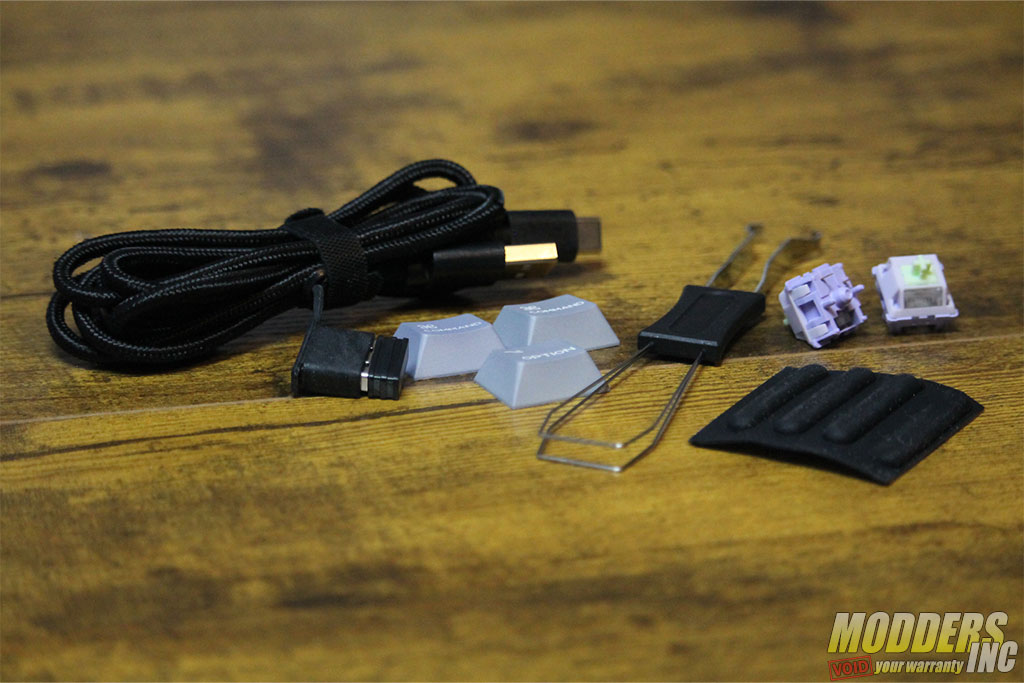
The box within the box contains extra rubber replacement pads, keycaps (2-Command, 1-Options), to make it easier for Mac users. Next, there is a keycap and switch puller in case you need to do some maintenance, and finally, we see the Type-C cable, which is about five feet long, with the 2.4 G adapter attached.
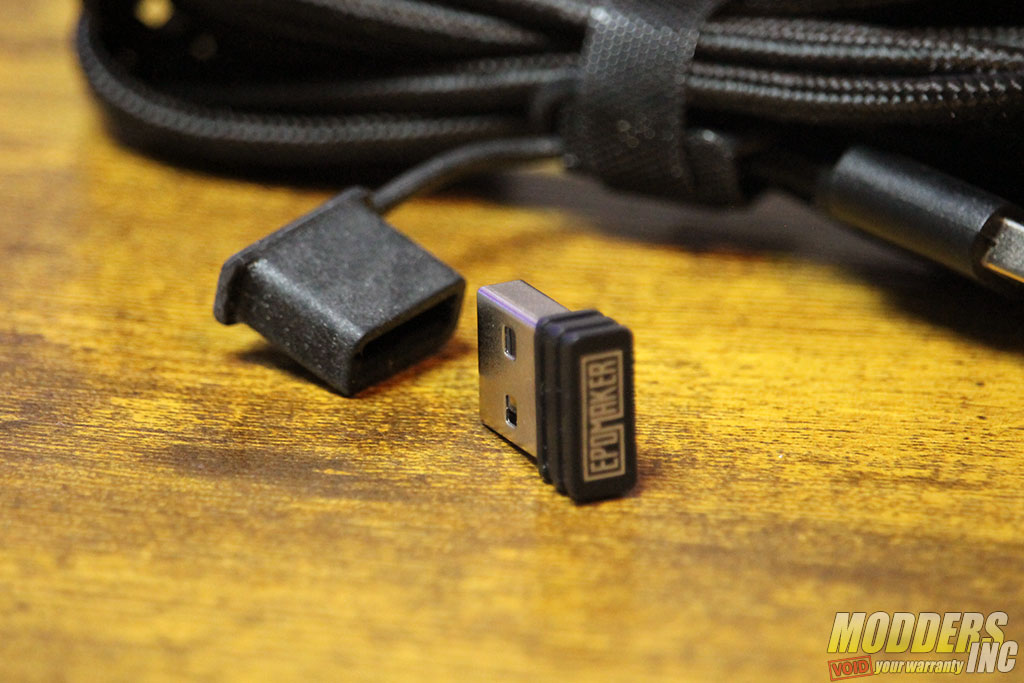
The 2.4G adapter is nestled into a flexible holder to keep it secure and attached to the cable, which I think is a great idea, as it helps to protect it from getting lost over time.
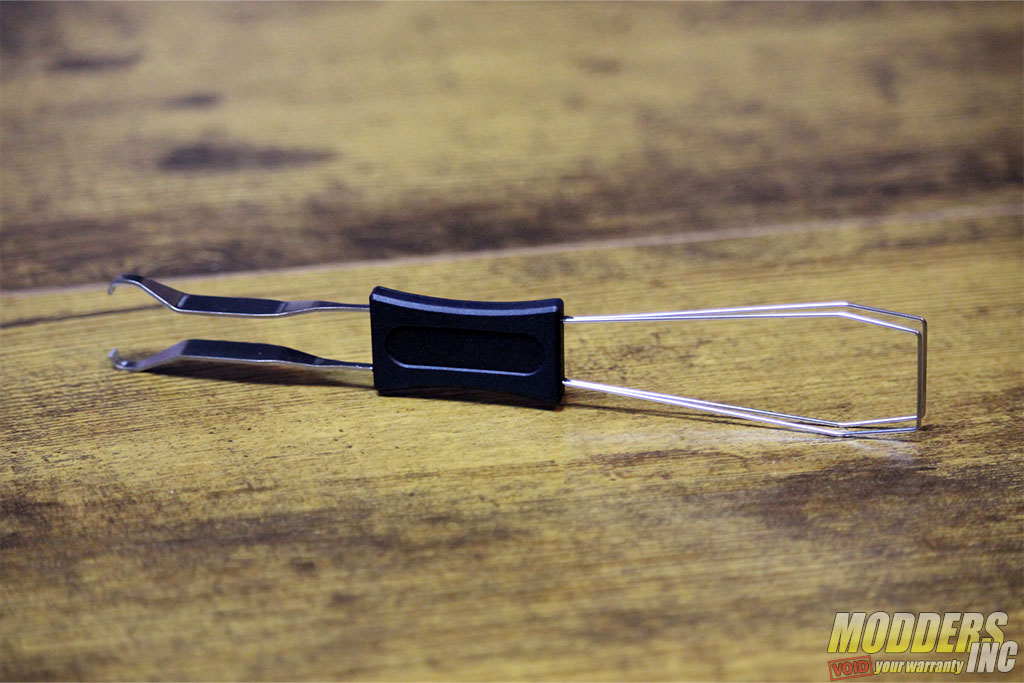
The keycap/switch puller is a nice addition to have, as you never know when you might have to remove some keys to clean up after you spill your food or drink all over them. Or when you are in the heat of a battle, and you have an unforeseen failure of a switch, you can quickly hotswap a switch with the puller and get back in the game.
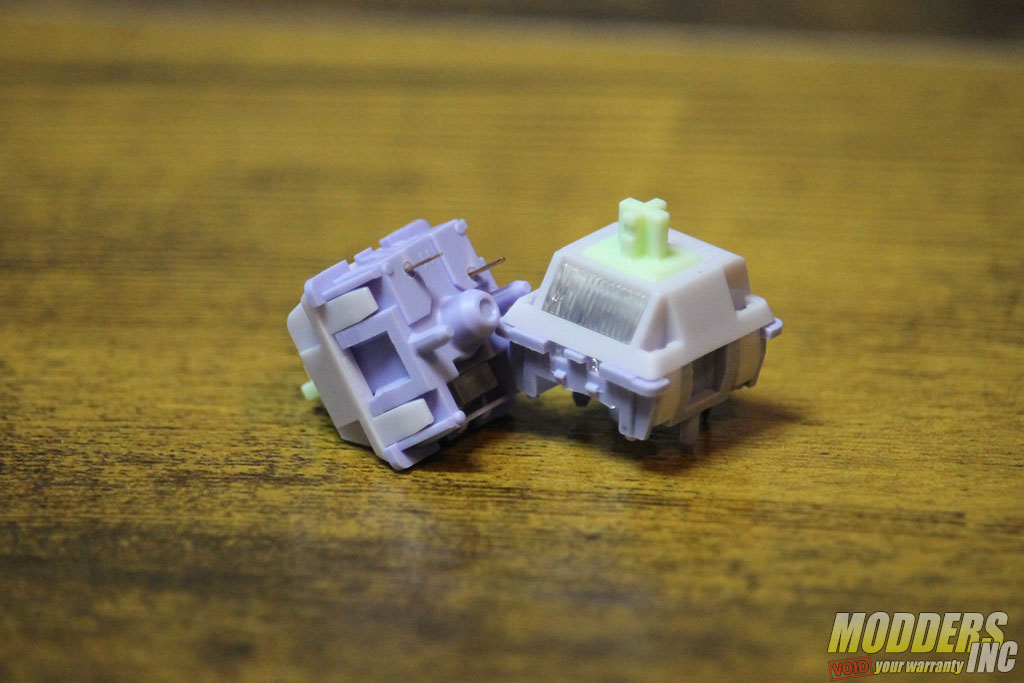
Two extra switches are included, just in case you might need to replace one many years from now. So, make sure to keep theses someplace safe.
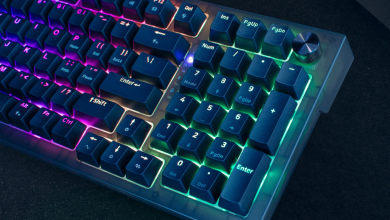
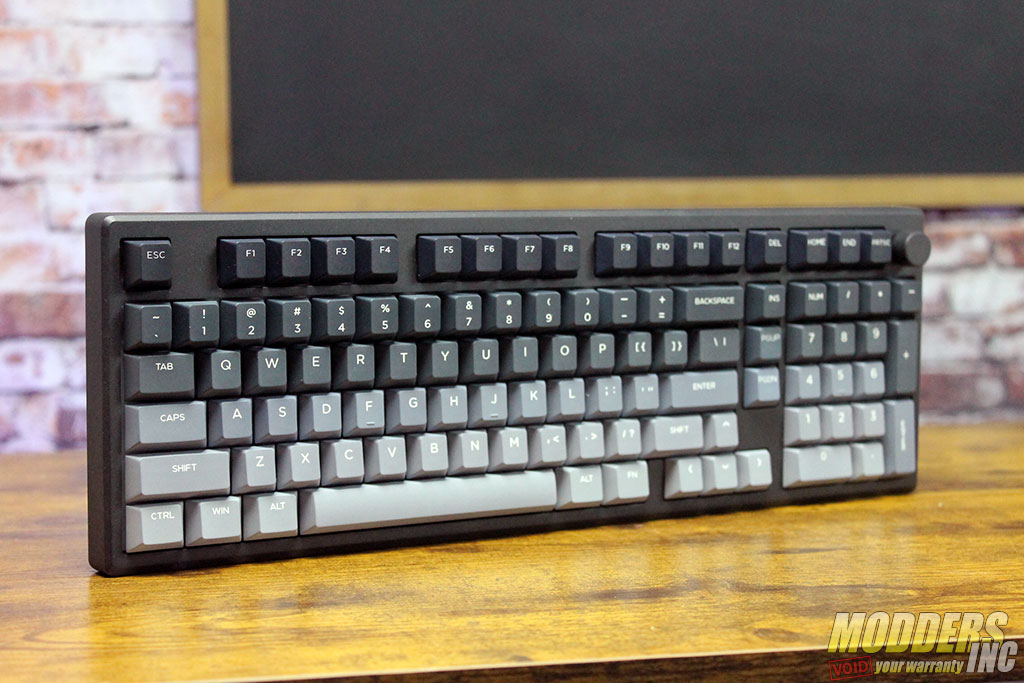
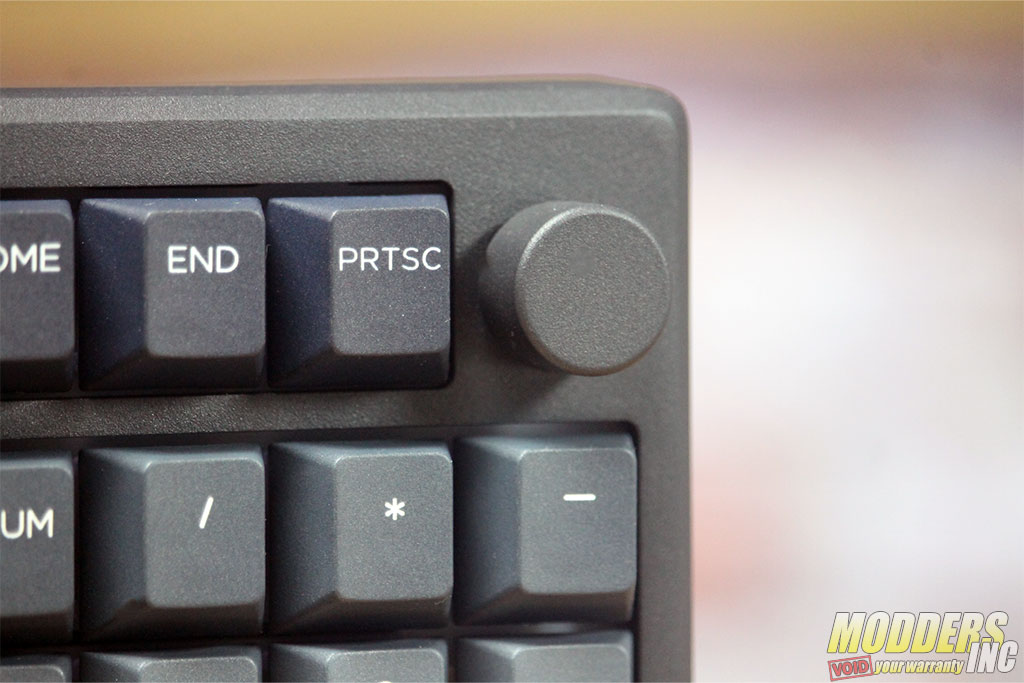
Finally, our first look at the Epomaker Galaxy100 Lite itself. First, I will say that the appearance, to me, is very striking and a pleasant surprise from the typical coloring of keyboards. The granulate color changes from black keys to a light gray color, giving it a sense of movement, while the contrast from the key colors to the black powder-coated case gives it a distinctive look. The Galaxy100 Lite is a 100-key setup with the Pause and Right CTRL keys removed. Added to the keyboard is a volume control knob at the top right. Personally, I like the swap out of the key, which I never used, to the knob control.
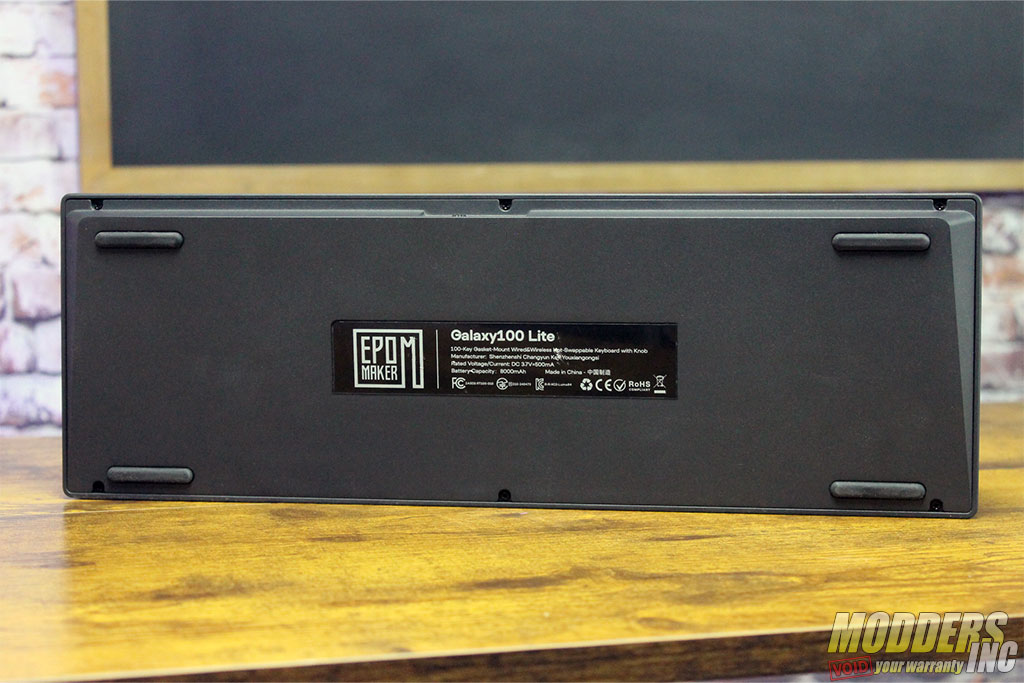
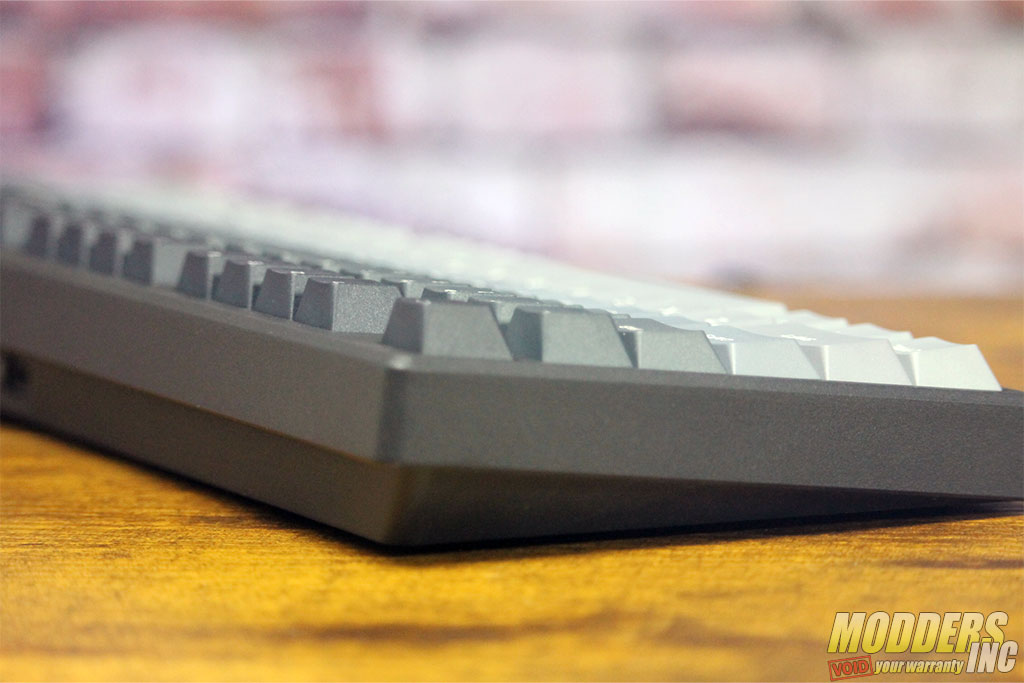
The base of the Galaxy100 Lite is, well, flat. Four large rubber pads are used to keep the keyboard from moving around, and they do a great job. I tried my hardest to push the keyboard around and off my desk. I actually moved my desk and not the keyboard.
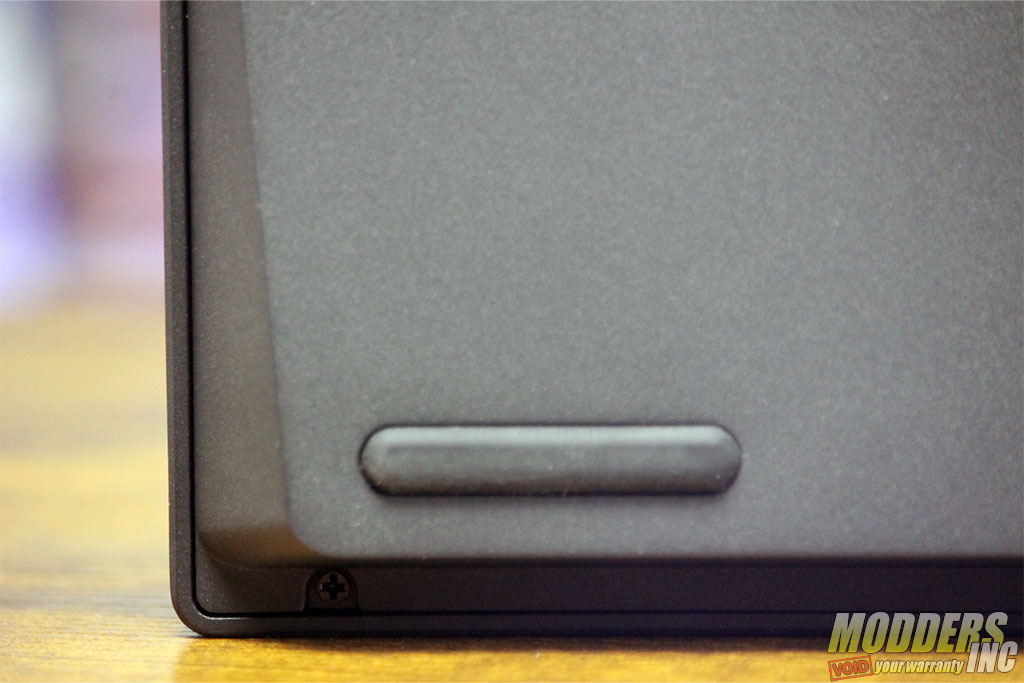
You might have noticed that there are no extendable legs to raise/tilt the keyboard. The Galaxy100 is already at an almost 7-degree angle, so there is no need to have them.
The knob is not an overpowering look for the keyboard and is easy to use with a quick reach to the top right to adjust the volume or a simple push down to mute/unmute the sound.

- Image by Epomaker
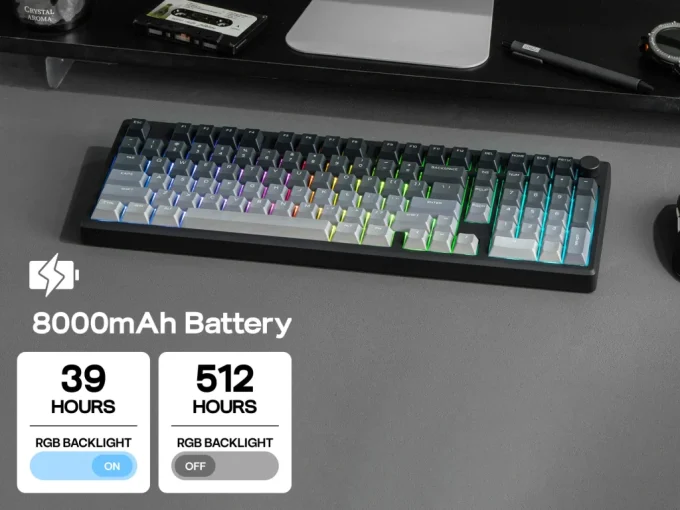
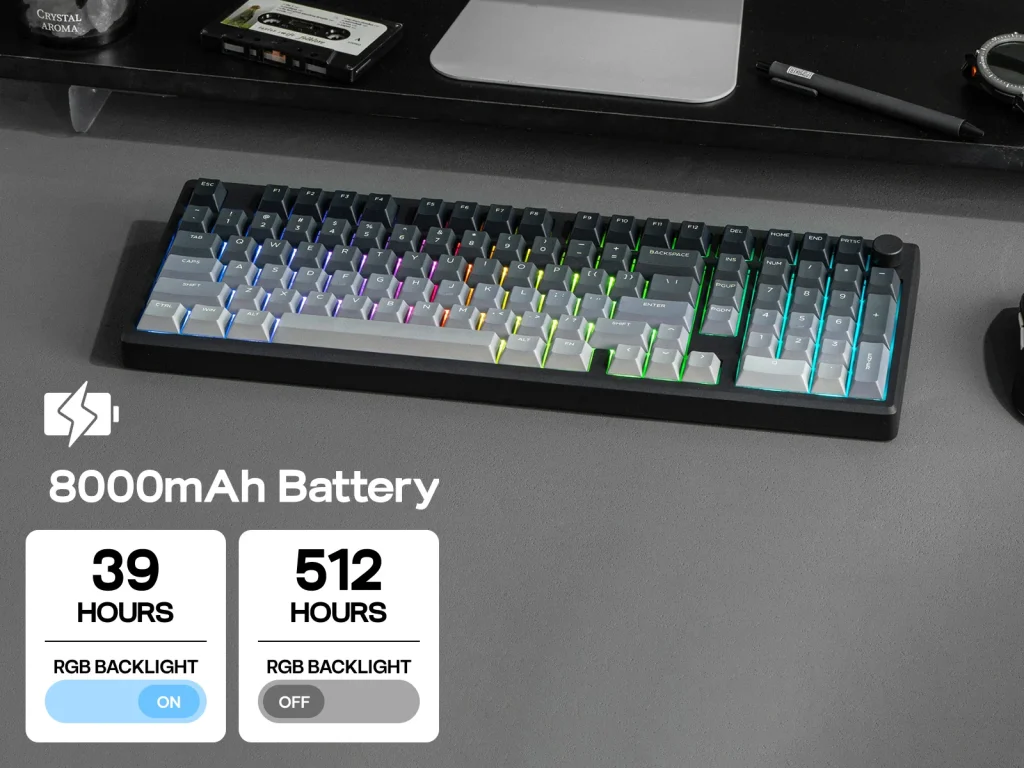
The 8000 mAh battery provides enough power to enjoy the RGB while using the keyboard wirelessly for about 6 days at 6 hours of use per day. The Galaxy100 Lite powers down after a few moments when not in use in either the Bluetooth or 2.4G modes. This helps with the prolonged usage and the enjoyment of being wireless and of the RGB lighting effects.
- Image by Epomaker
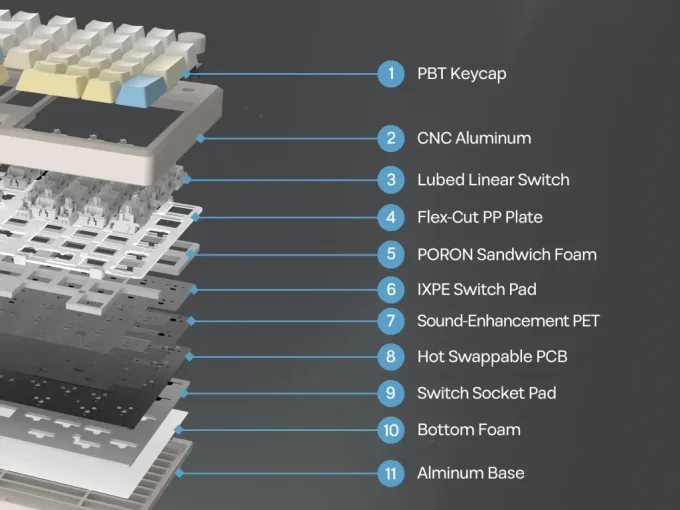
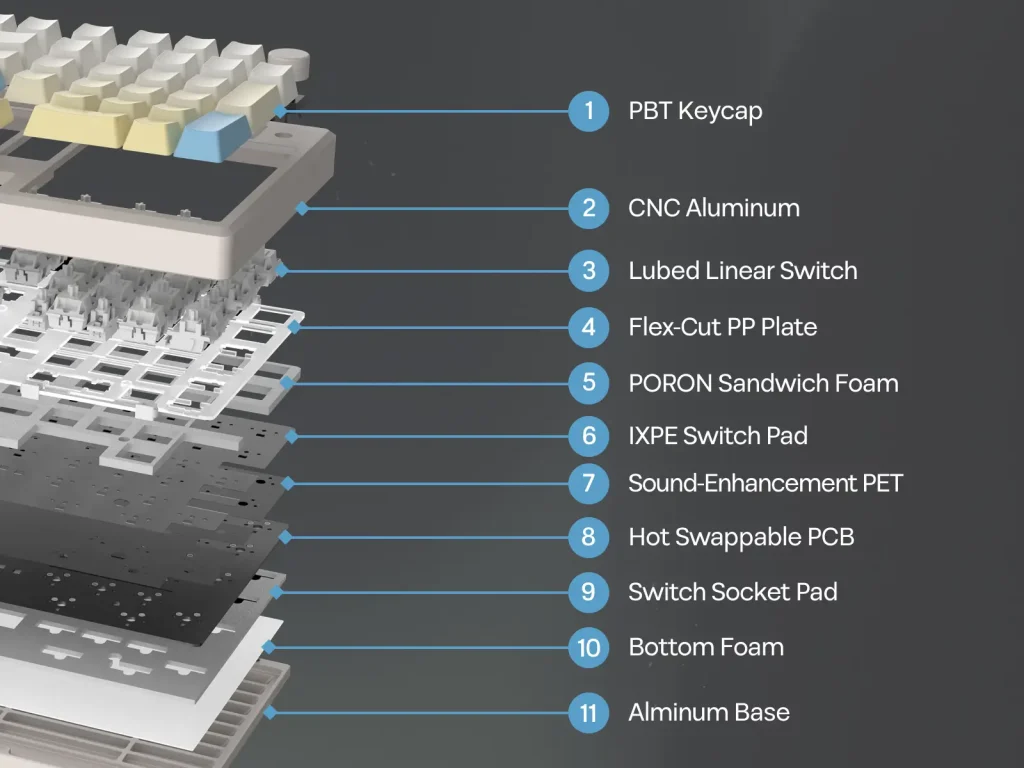
Below is an overview of the construction of the Galaxy100 Keyboard.
- Image by Epomaker
| Layout | 1800 96% ANSI US Layout |
| Number of Keys | 100 keys and 1 knob |
| Battery | 8000mAh |
| Connectivity | Cable Wired, 2.4GHz, Bluetooth 5.0 |
| Compatibility | Mac/WIN/Android (Not compatible with PS4/PS5/Switch) |
| Front Height | 1.95cm |
| Typing Angle | About 7 degrees |
| Case Material | Powder Spraying CNC Aluminum Alloy |
| Plate Material | PP Plate |
| Flex-Cut | Partial Flex-Cut (horizontal) |
| Stabilizers |
Plate-Mount Stabilizer. (Not compatible with Screw-in Stabilizer)
|
| Mounting Structure | Gasket-Mount |
| Sound Dampening | 5 layers: Poron sandwich pad, IXPE switch pad, PET sound enhancement pad, EMDP switch socket pad, PET bottom pad |
| Keycaps Profile | Cherry |
| Keycaps Material | PBT Plastic |
| Switch | 5-pin Pre-Lubed Linear Switch |
| Hot swappable |
Yes, 3/5-pin mechanical switches
|
| RGB | South-facing, per-key RGB |
| Polling Rate | 1000Hz (USB, 2.4Ghz), 125Hz (Bluetooth 5.0) |
| Latency | 2.81ms (USB), 4.72ms (2.4Ghz wireless), 15ms (Bluetooth 5.0) |
| Anti-Ghosting | N-Key Rollover |
| Keyboard Dimensions | 40.5*13.78*3.23cm |
| Keyboard Weight | 1.66kg |
Inside the Box
- 1* Galaxy100 Lite Mechanical Keyboard
- 1* Detachable USB A-to-C Cable
- 1* 2-in-1 Keycap-and-Switch Puller
- 2* Extra Mechanical Switches
- 3* Mac Supplementary Keycaps (Command Keycap and Option Keycap)
- 1* 2.4GHz Dongle (Stored on the Keyboard Cable)
- 1* Multilingual Manual in English, German, Spanish, French, Italian, Korean, Japanese and Chinese
Related Articles