Is the In Win Prism Worth It? Full Review, Airflow Test
The Best Panoramic Glass PC Case for BTF Builds?
Interior Layout: Built for BTF and Clean Builds
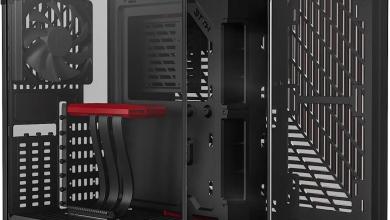
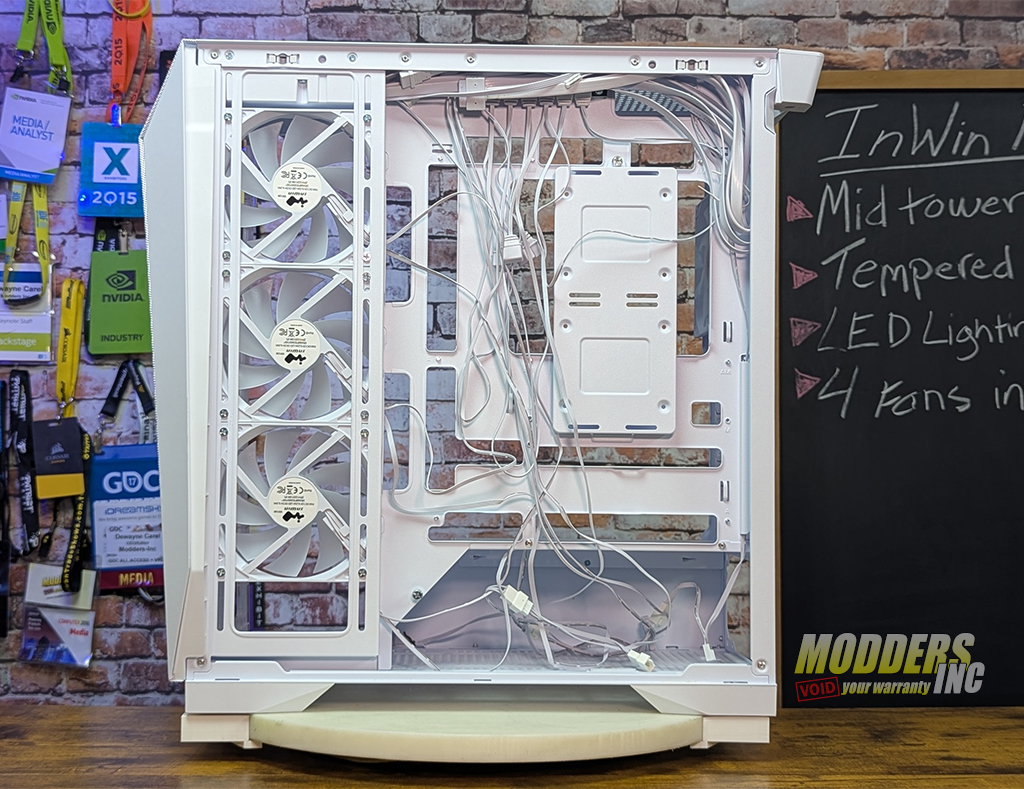
Inside, the Prism is far more practical than its exterior suggests. The layout is open and optimized for clean cable routing, especially if you’re using a BTF/back‑connect motherboard. From the image, we can see all four of the preinstalled 120mm fans. An additional six 120mm fans can be installed without cramping the space of the interior. Listed below are the number of fans and the locations where you install them.
Air Cooling Fans:
Front: 3 x 120 / 140 mm
Top: 3 x 120 / 2 x 140 mm
Rear: 1 x 120 mm
Side: 3 x 120 mm
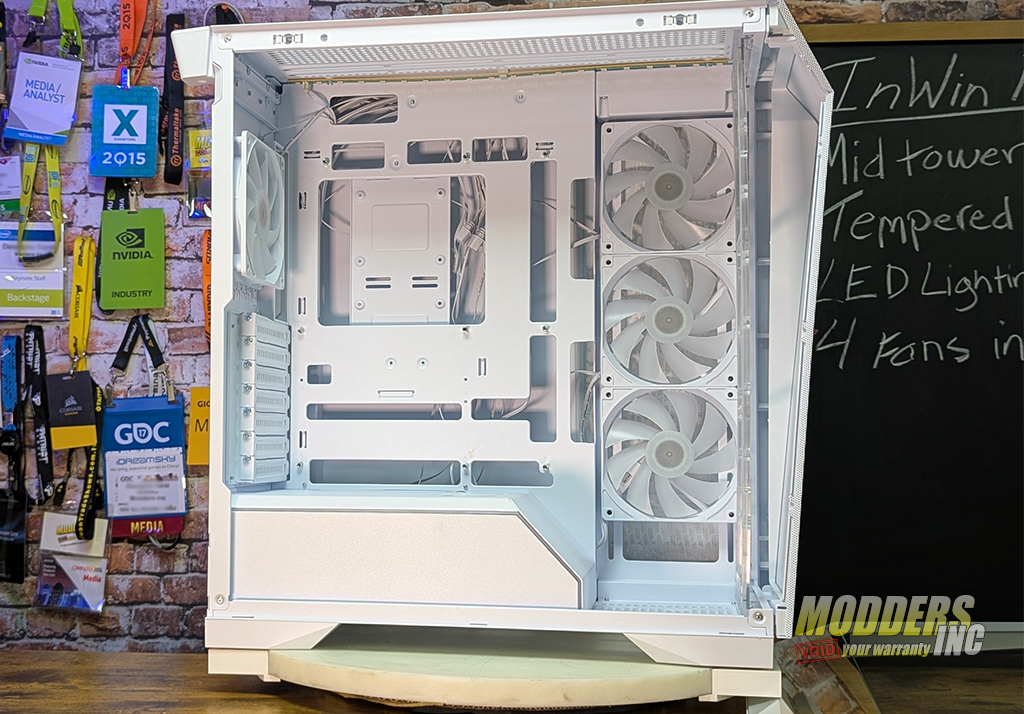
The Prism’s interior design clearly anticipates the future of PC building — one where cables disappear behind the motherboard and the front chamber stays visually clean. As we can see, the motherboard mounting is has all the cut-outs we need for easy cable management.
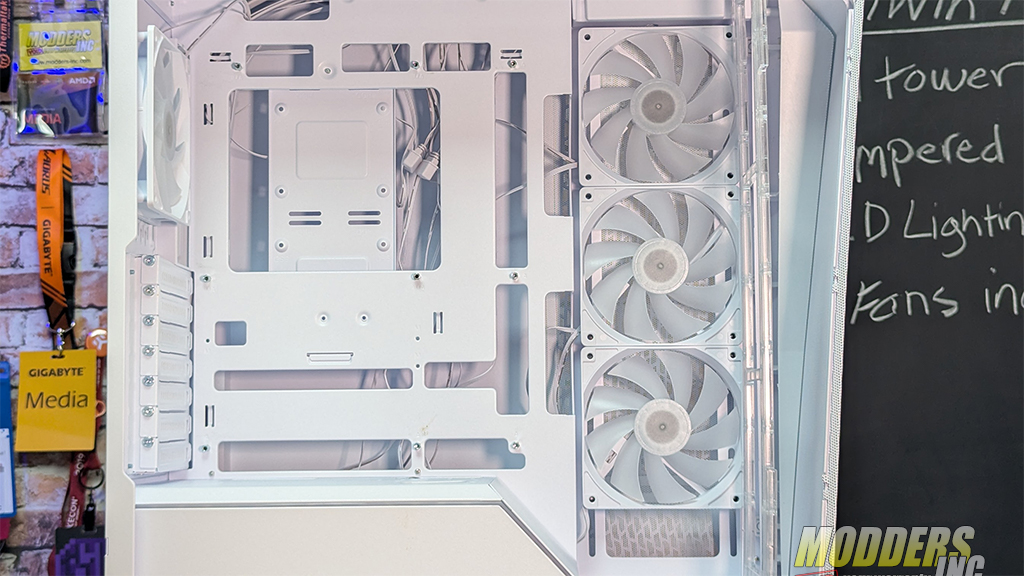
Out of the box, the area behind the right panel is, well, not as pretty as the rest of the case. Each preinstalled fan comes with two cables that are needed to make the fans run and the RGB to light up. The InWIn PRISM does come with eight velcro straps and six white plastic ties that can be routed through punched out loops on the motherboard plate to clean up the mess for the assembly line wiring job. I was able to make the wires much more manageable within about 15 minutes of work.
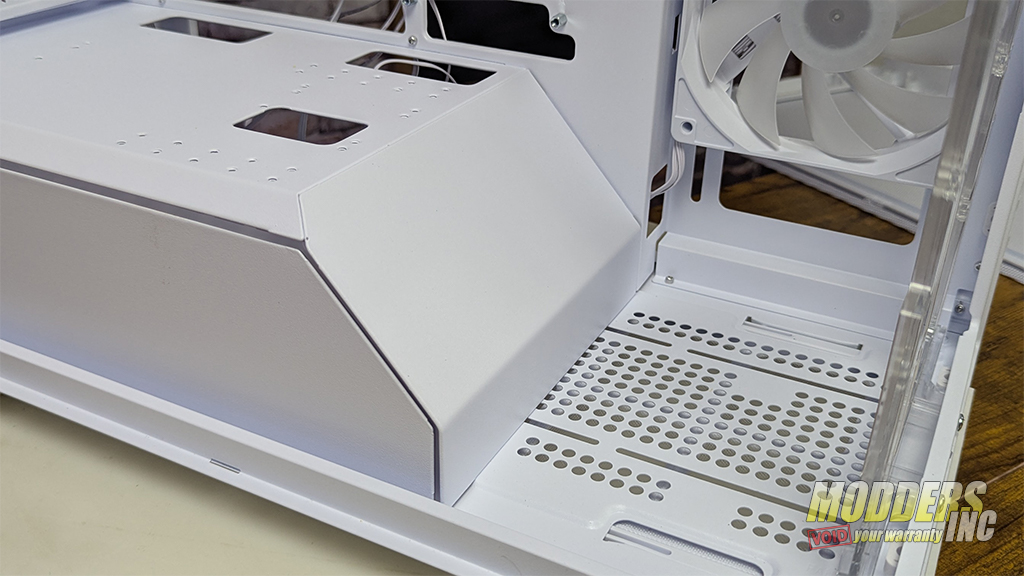
The shroud covering the PSU is large and able to handle the largest of power supplies and all the cables needed for any build. The slanted portions of the shroud is removable by unscrewing a thumb screw, and give you plenty of access and room for whatever reasons you may need to take it off. Along the edge of the shroud cover that faces the glass panel is RGB to add to the lighting effects of the case.
Specs & Compatibility: High‑End Hardware Ready
Despite being a showcase case, the Prism supports large components without compromise.
Hardware support:
- GPU clearance: 435mm
- CPU cooler height: 170mm
- Radiator support: Up to 360mm (side + top)
- Fan support: Up to Ten 120mm side/top/front/rear Plus 140mm
- Motherboards: ATX, E‑ATX, BTF/back‑connect
- Storage: Multiple SSD/HDD mounting points
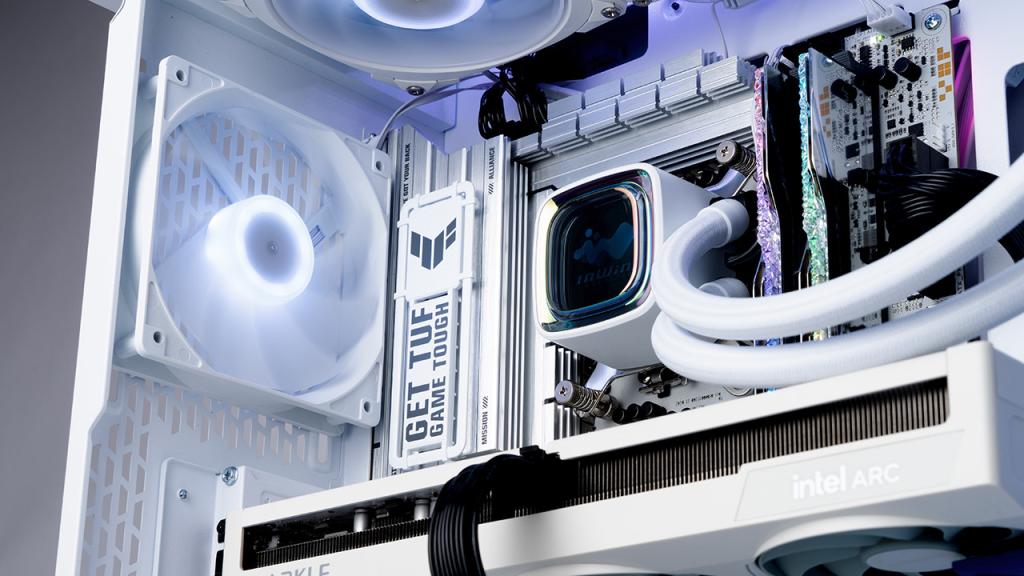
You can see the full video of the InWIn PRISM on our YouTube Channel
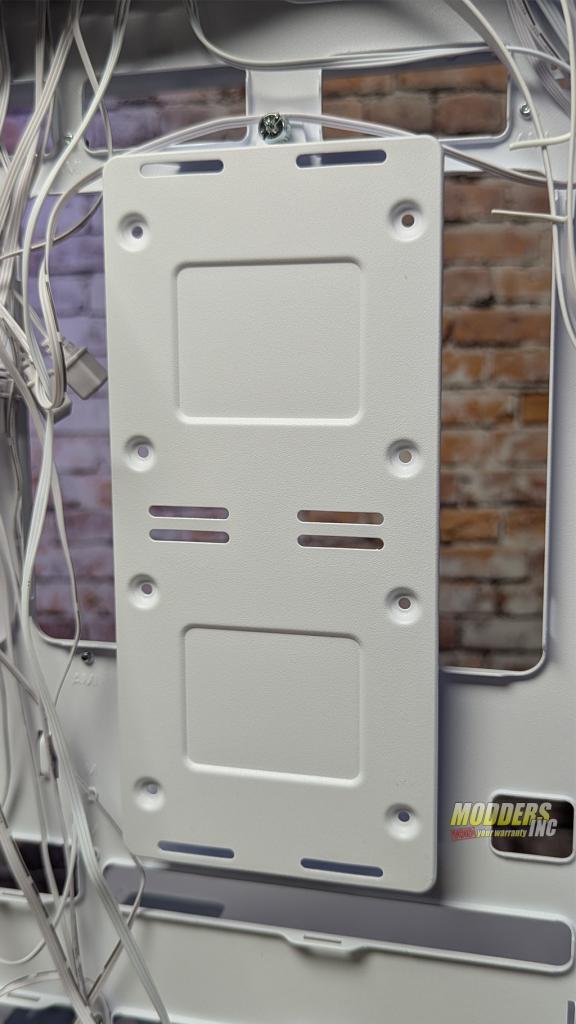
Behind the motherboard support is a bracket that can be used to mount up to four storage devices. Two 2.5 and two 3.5 drives can be mounted at the same time to give you plenty of room for all the games you will never play… but some day you will. If you don’t use any 3.5 drives, you can add 2 more 2.5 drives in the vertical position if you like.
At the front of the case, just behind the removable front panel, is a clear plastic mounting bracket that is used to mount cooling fans and radiators.
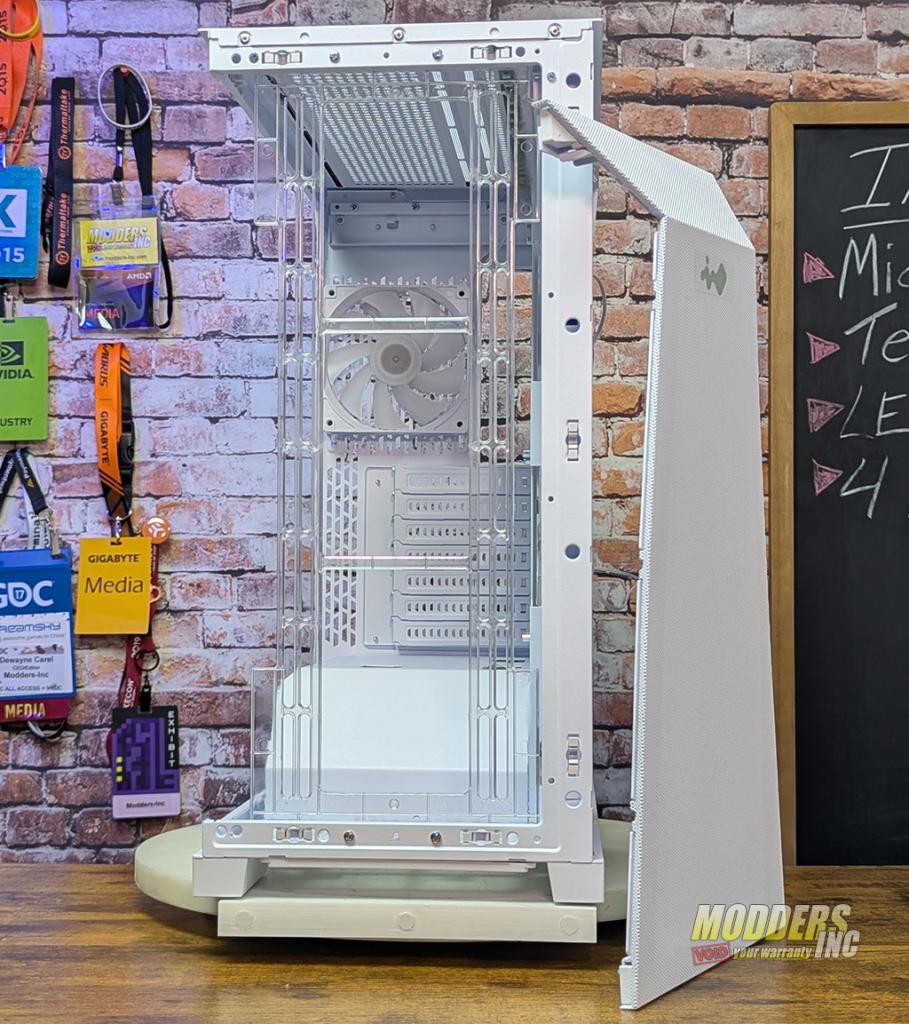
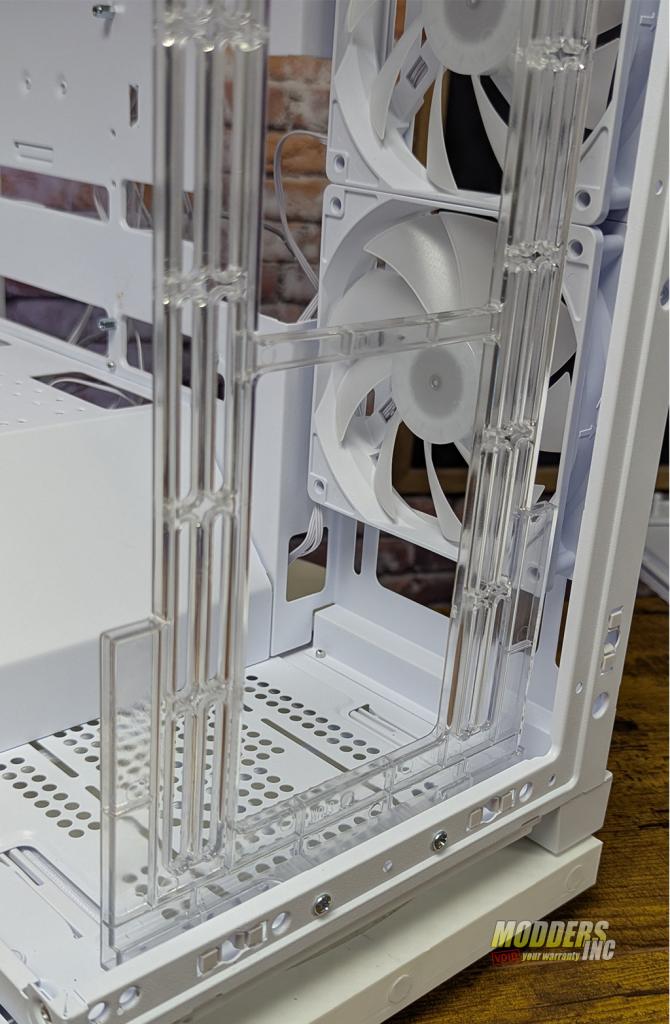 By removing a few screws, this bracket can be removed. It is recommended to remove it when mounting fans and a radiator to it as it can be broken. Also, if you have a graphics card larger than 400mm, you will have to remove it so that the card will fit.
Specifications
| Model | PRISM |
|---|---|
| Model Number | IW-CS-PRISMBLK-4VX120, IW-CS-PRISMWHI-4VX120 |
| Color | Black, White |
| Case Type | Mid Tower |
| Materials | SPCC, Tempered Glass |
| M/B Compatibility | ATX, Micro-ATX, Mini-ITX |
| Expansion Slots | 7 x PCI-E (Riser Card Optional; Not Included in Package) |
| Maximum Compatibility | GPU Length: 435 mm CPU Heatsink Height: 175 mm |
| I/O Ports | 1 x USB 3.2 Gen 2×2 Type-C 2 x USB 3.2 Gen 1 HD Audio Combo (CTIA – SPK/Mic) LED Lighting Control Switch |
| Internal Drive Bays | 2 x 3.5″ & 2 x 2.5″ (2.5″ SSD H 7 mm Max.) |
| Thermal Solution Compatibility | (4 InWin VX120 Fans Included)Water Cooling Radiators: Front: 1 x 240 / 360 mm Top: 1 x 240 / 280 / 360 mm Rear: 1 x 120 mm Side: 1 x 240 / 360 mm |
| Power Supply Compatibility | PSII: ATX12V – Length up to 238 mm |
| Product Dimensions (L x W x H) |
530 x 275 x 500 mm 20.9 x 10.8 x 19.7″ |
| Package Dimensions (L x W x H) |
583 x 370 x 638 mm 22.9 x 14.5 x 25.1″ |
| Net Weight | 10.01 Kg / 22.2 lbs |
| Gross Weight | 12.3 Kg / 27.1 lbs |