Is the In Win Prism Worth It? Full Review, Airflow Test
The Best Panoramic Glass PC Case for BTF Builds?
Features: InWin’s Cleanest Setup Yet
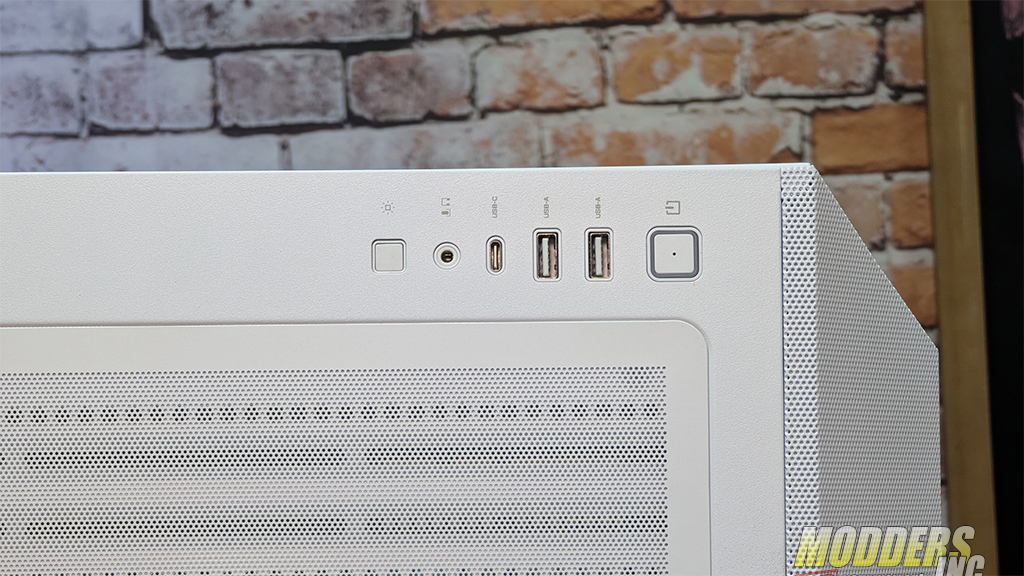
At the top of the case, we can see a few more features of the PRISM. The I/O ports are located at the top right, and they include 1 x USB 3.2 Gen 2×2 Type-C, 2 x USB 3.2 Gen 1, HD Audio Combo (CTIA – SPK/Mic), and an LED Lighting Control Switch.
The LED control switch is not just an on/off button. It allows you to cycle through 19+ preprogrammed lighting effects through an installed controller. This means that you do not need to install any software ot use the lighting of the case. Now, if you would like, you can put the controller into Motherboard Mode (ARGB) by holding down the button for three seconds (the light will flash a few times and then go out). You can now control the lighting with your software of choice.
A magnetic screen covers the access to the mounting area of the top fan and radiator location. The white color of the screen matches the case color very well. You have plenty of choices to mount any size fan and radiator in this location.
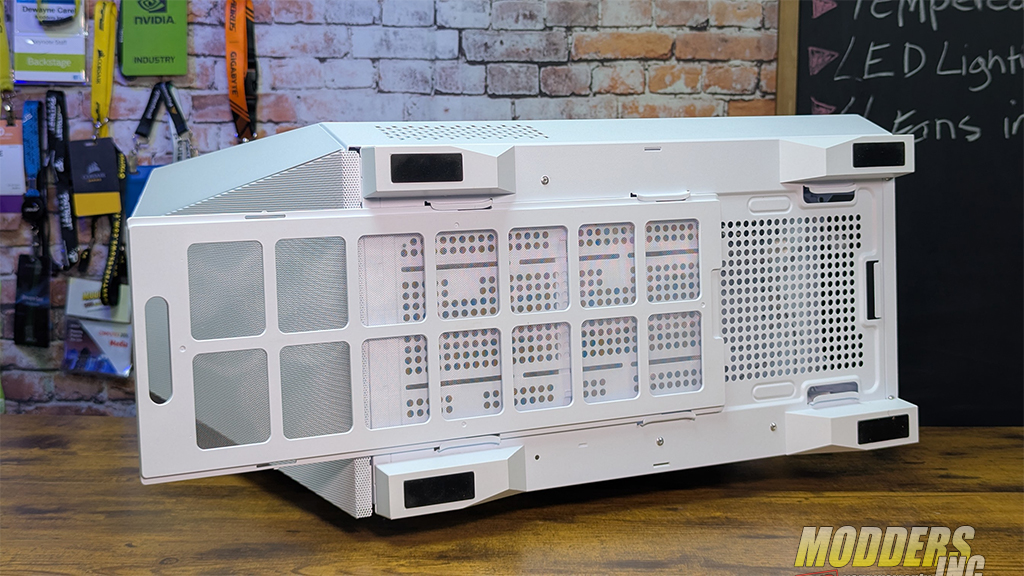
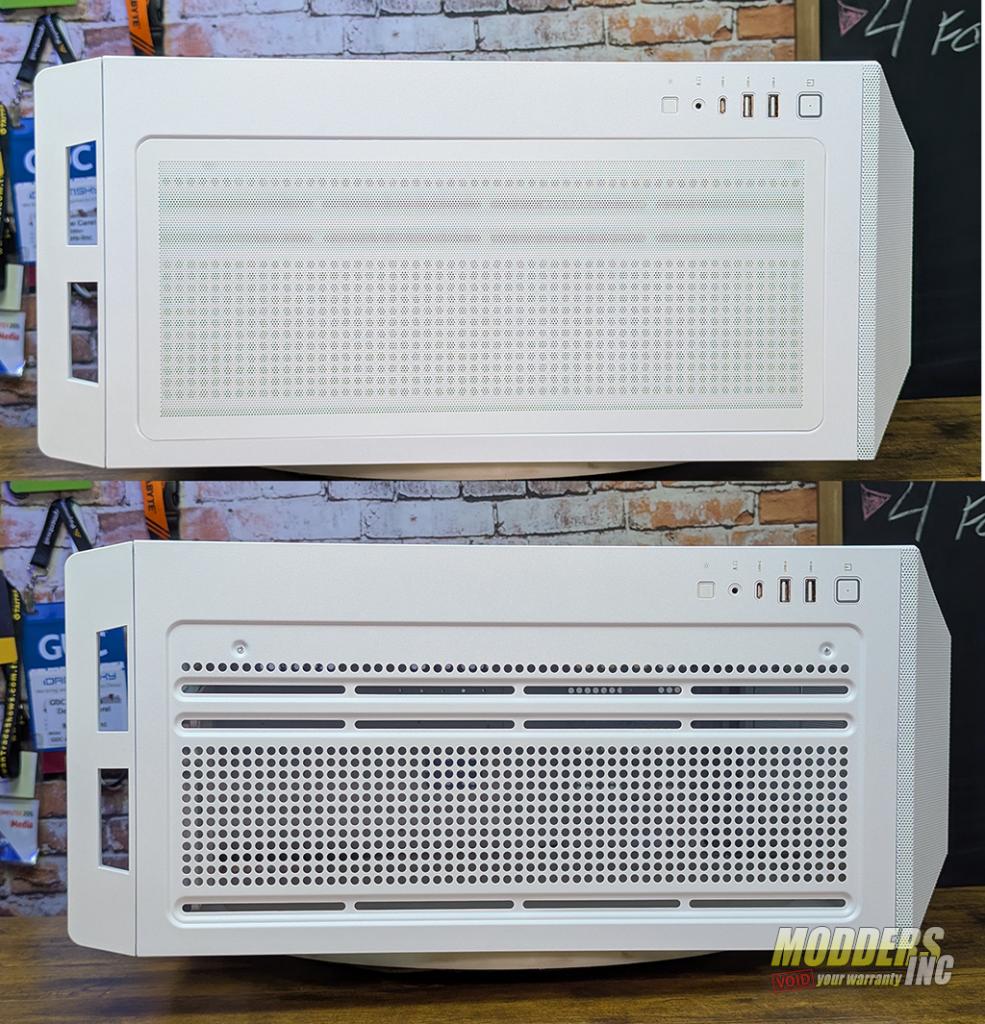 At the base of the InWIn PRISM, you get a plastic-framed dust screen that runs the entire length of the case. This screen is easily removed from the front of the PRISM. We can also see that large feet with rubber pads are used to give the case height for air flow and stability.
Airflow Performance: Fogger Test Results
Instead of relying on synthetic thermal charts, I used a handheld fogger to visualize airflow inside the Prism. This gives a real‑world look at how air moves through the case.
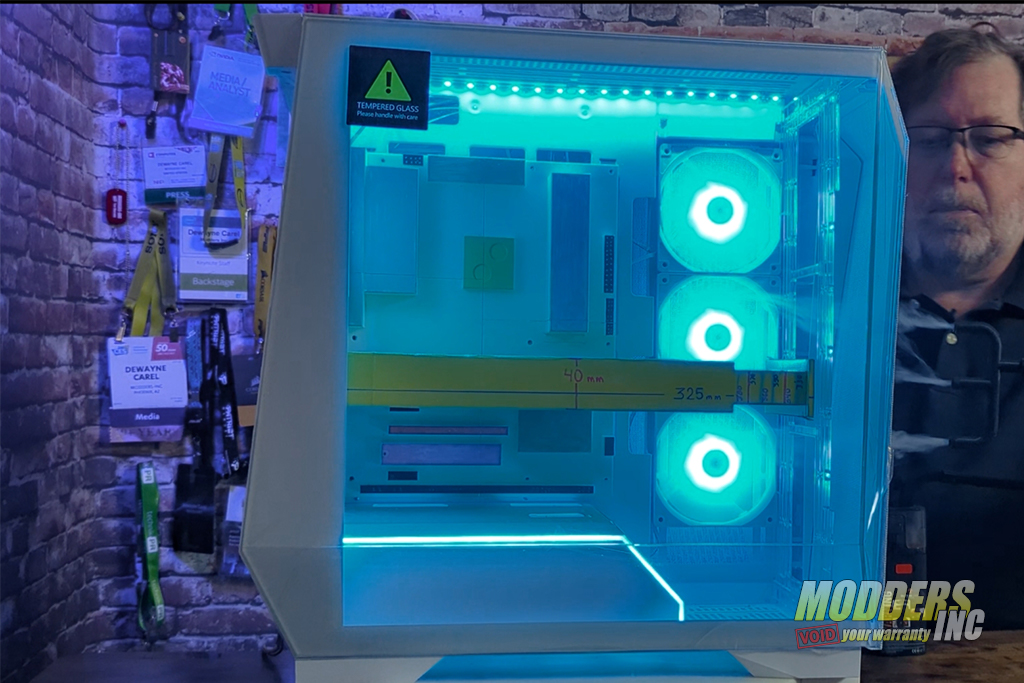
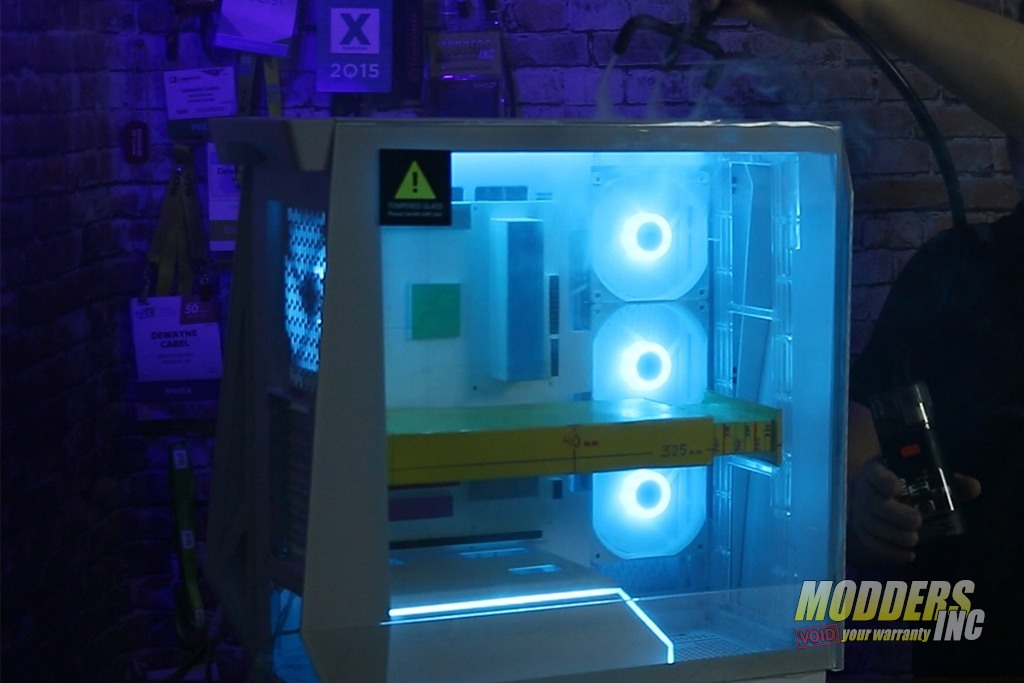
Fogger test observations:
- Bottom intake pulls air straight through the GPU zone
- Fog rises cleanly toward the top exhaust
- Minimal turbulence in the front corner
- Side airflow moves smoothly across the motherboard
- Fog clears quickly, indicating efficient exhaust flow
For a case with this much glass, the airflow path is impressively clean. The bottom intake is doing a lot of heavy lifting, and it shows.